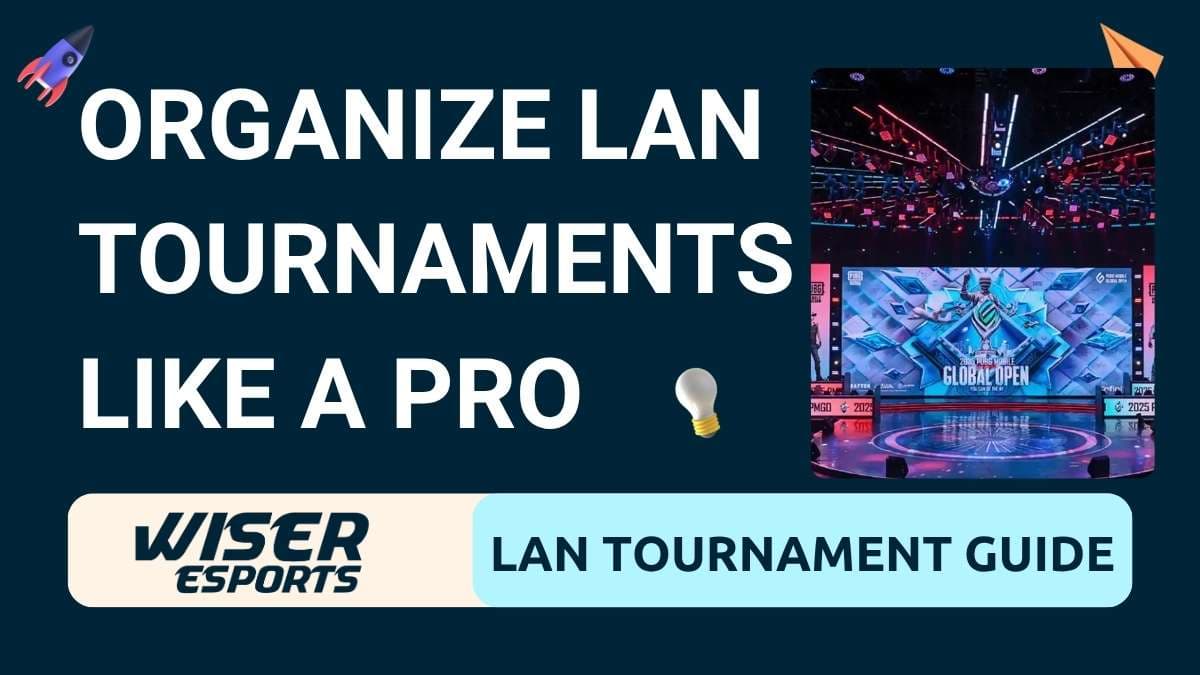
How to Organize a PUBG Mobile LAN Tournament Like PMNC and PMGO

· 15 min read
By the Wiser Esports team — with hands-on experience producing PMGO, PMNC, and multiple other title LAN and online events.
Esports events look incredibly professional on live streams: polished broadcast graphics, flawless observer cameras, roaring crowd energy. But behind every seamless broadcast is weeks of planning, hundreds of decisions, and an entire team working in sync. Today, we are breaking it all down step by step so your next PUBG Mobile LAN tournament looks and feels as professional as the events you watch online.
This is not a generic event-management article. We are sharing real insights from our own experience producing PUBG Mobile tournaments including PMGO (PUBG Mobile Global Open), PMNC (PUBG Mobile National Championship), and other major LAN and online titles. Our goal is to help you learn from our mistakes and avoid making new ones.
What Is a LAN Tournament?
A LAN tournament is a physical, in-person competitive gaming event where all players compete from the same venue. Unlike online tournaments, a physical event requires you to manage real space, hardware infrastructure, broadcast production, player logistics, and live audiences, all simultaneously.
A LAN tournament is not simply putting players in a room and letting them play. It is a large-scale execution requiring proper planning, logistics, technology infrastructure, and a deep understanding of both in-game mechanics and live event management. Every department, from networking to production to talent management, must work in sync.
Step 1: Start With a Tournament Schedule
The very first thing you need before anything else is a finalized tournament schedule. This is the backbone of your entire event.
Your schedule determines:
How many match days you need
How many teams will participate and in what format (group stage, knockouts, grand finals)
How many hours of broadcast time you are planning for
When you need each department, including production, observers, talent, and referees, to be present
Once your schedule is locked, every other decision flows from it: talent bookings, venue hire duration, internet bandwidth requirements, and equipment rentals. Do not skip or rush this step. Changing the schedule mid-planning causes a cascade of problems across all departments.
Step 2: Venue Selection
After finalizing your schedule, the next major decision is your venue. This is one of the most consequential choices you will make, and it is worth getting right.
Always Choose an Indoor Venue
Outdoor venues introduce uncontrollable variables such as weather, ambient lighting, temperature fluctuations, and noise. An indoor venue eliminates most of these risks and keeps your tournament running on schedule regardless of what is happening outside.
Indoor venues also come with built-in infrastructure advantages: existing lighting rigs, air conditioning systems, electrical setups, and in many cases, a stage. These elements are not plug-and-play for your specific needs, but they give you a significant head start and reduce the amount of equipment you need to bring in.
LED Screen Placement
LED screens are essential for creating a premium venue experience for your live audience. However, placement must be done carefully to preserve competitive integrity.
Critical rule: Position all audience-facing LED screens so that competing players cannot see them during a match. If players can see what is being broadcast, including enemy positions, zone circles, or kill feeds, it creates an unfair competitive advantage and undermines the integrity of your event. Place screens at the front of the venue facing the audience, away from and out of sightlines of the player arena.
Team Arena and Table Layout
How you arrange your teams on the stage or arena floor has a direct impact on competitive fairness, player comfort, and audio isolation.
Best practices for team layout:
Space teams far enough apart that players cannot see each other's screens
Orient tables so that no player has a line of sight to a teammate on another team
Create physical barriers or partitioned sections between teams where possible
Allow enough space between tables for staff to move freely during setup and troubleshooting
Proper spacing also helps with noise isolation. In PUBG Mobile, in-game audio is a critical part of strategy. If players can hear another team's reactions, it compromises competitive integrity.
Player Comfort
A PUBG Mobile LAN tournament can run for six to ten hours in a single day, with players competing across multiple matches. Player comfort directly affects performance and professionalism.
Invest in ergonomic gaming chairs and proper-height desks
Ensure adequate air conditioning. Gaming devices and densely packed hardware generate significant heat, and your players should never be sweating through a match
Provide players with access to water and food during breaks
Avoid overcrowding the player area; a congested arena leads to discomfort and frustration
Step 3: Power and Electrical Planning
Power failure is one of the most catastrophic things that can happen during a live tournament. A single outage can corrupt match data, force a restart, and damage your event's reputation. Treat electrical planning as a priority, not an afterthought.
Key Electrical Requirements
Assign a dedicated power socket or circuit to each player table. Shared circuits increase the risk of tripped breakers
Plan and test backup power options such as UPS (Uninterruptible Power Supply) units for critical hardware like game servers, production PCs, and broadcast encoders
Use a generator backup for the entire venue if the event is high-stakes
Account for cooling equipment. Industrial fans, portable AC units, or rack-mounted cooling for server setups all draw significant power
Label every power circuit clearly so your electrical team can identify and isolate issues quickly
Step 4: Wiring and Cable Management
Poor cable management is one of the most overlooked causes of on-site problems. Tangled, unlabeled, or unsecured cables are a disaster waiting to happen, both operationally and physically.
Best Practices for Cable Management
Label every single cable on both ends with clear, durable labels. When a network issue arises mid-event, a labeled cable saves you ten minutes of frantic searching
Use cable trays, conduit, or protective covers in all high-traffic areas to prevent tripping hazards and physical damage
Run power and data cables on separate paths wherever possible. This reduces electrical interference and signal degradation
Secure all cables firmly to avoid accidental disconnections, especially in areas accessible to players, staff, or audience members
Conduct a full cable walk-through before the event with your technical team
Step 5: Network and Internet Setup (The Most Critical Element)
If there is one section of this guide you should read twice, it is this one.
The internet and network setup is simultaneously the most important and the most frequently underestimated aspect of any LAN tournament. In our experience running PUBG Mobile events, more tournaments have been delayed or disrupted by internet and network failures than by any other single cause.
This is not just our experience. In 2026, PMNC Nepal was put on hold due to internet issues. PMGO in Uzbekistan also faced major network disruptions. These are not small or poorly-resourced events. They are professionally produced, well-funded competitions, and internet issues still brought them to a standstill.
The reason this happens repeatedly is almost always the same: teams do not test with the real environment.
Why Testing With Your Internal Team Is Not Enough
Internal testing, even thorough internal testing, cannot replicate the conditions of an actual event. The moment you add 16 teams (typically 64 to 80 players), a full production crew, observer PCs, and a broadcast team all simultaneously hammering the same network, you will discover issues that never appeared during internal tests.
Always conduct a proper dry run. This means:
Inviting all competing teams
Having your full production crew present
Running the event exactly as you plan to on match day, including observers, broadcast graphics, and game server connections
Doing this at least 48 to 72 hours before the actual event so you have time to resolve issues
Dedicated and Separated Internet Lines
Never run players and production on the same internet connection. These are two completely different workloads with different latency, bandwidth, and reliability requirements.
Set up three separate internet connections:
Player network dedicated to all competing team tables, optimized for low latency
Production and broadcast network dedicated to production PCs, encoding hardware, stream output, and observer machines
Audience or guest network (optional): if you are offering Wi-Fi to attendees, keep it completely isolated from both of the above
ISP Redundancy and Automatic Failover
Always have at least two ISPs (Internet Service Providers) at your venue. Configure automatic failover so that if your primary ISP drops, traffic switches to the backup instantly and without interrupting the match or broadcast.
A manual failover requires someone to notice the outage, make a decision, and execute a switch. This takes time and introduces human error. Automatic failover happens in seconds and goes largely unnoticed by your audience.
Network Infrastructure Per Team
For large-scale PUBG Mobile events, consider assigning each team a dedicated router or access point rather than having all teams share a single AP. This dramatically reduces latency spikes caused by network congestion and gives your technical team a clear troubleshooting path if one team has connectivity issues.
Use enterprise-grade networking equipment. Consumer-grade routers and switches will fail under the load of a major tournament.
Step 6: Technical and Production Setup
Your production is what separates a professional esports event from a casual gathering. It is what your online audience sees, and it is what makes the event feel like a premium esports tournament rather than a local competition.
Hardware You Will Need
High-performance production PCs for running your broadcast graphics, replay system, and observer stations
Video switcher to switch between camera feeds, game captures, and graphics in real time
Cameras for capturing player reactions, audience shots, stage coverage, and talent segments
Capture cards to bring game feeds from player and spectator PCs into your production pipeline
Replay system essential for highlight packages and post-round analysis
Audio mixer and console for managing microphone feeds, game audio, crowd audio, and broadcast output
Skilled Personnel You Will Need
Event Director / Show Director responsible for the overall show flow and calling shots in real time
Producer manages logistics, scheduling, and coordinates between departments
Broadcast Observer(s) in-game PUBG Mobile observers who spectate and direct the in-game camera. This is a specialized skill and arguably the most important production role for a battle royale event
Graphics Operator manages live overlays, scoreboards, kill feeds, and lower thirds
Replay Operator queues and plays back in-game highlights
Technical Director oversees the broadcast signal chain and troubleshoots hardware issues
Camera Operators for live venue footage
Audio Engineer manages the full audio mix for the venue PA and broadcast stream
Observer Skill Matters
For PUBG Mobile specifically, the quality of your observers defines the quality of your broadcast. A skilled observer knows where the action is before it happens, can anticipate rotations, and knows when to cut between fights. Invest in training or hiring experienced PUBG Mobile observers. It is one of the highest-impact investments you can make in your production quality.
Step 7: Talent and Host Management
Your on-air talent, including hosts, analysts, and color commentators, are the face of your broadcast. They drive engagement, fill dead air, and create memorable moments for your audience.
For PUBG Mobile tournaments:
Host/MC manages stage flow, crowd engagement, and player interviews
Play-by-play caster calls the in-game action in real time
Color analyst provides strategic context, team analysis, and post-round breakdowns
Audio Talkback (Comms / IFB)
This is something many first-time organizers skip, and it always shows on the broadcast. Every on-air talent member, including your host, casters, and analysts, must be connected to the director via an audio talkback system. This is commonly called comms, an IFB (interruptible foldback), or a comm mic setup.
The talkback system allows your show director to speak directly into the ear of your talent in real time without that communication going out on air. The director can cue a caster to wrap up, alert the host to an incoming segment change, or warn a talent that a break is about to be called. Without it, your talent is essentially performing blind, and your director loses all real-time control of the show.
A real example from a LAN tournament in Nigeria: During a live event, the show director called a planned break between rounds over the production comms. The casters, however, were not connected to any talkback system. They had no idea a break was happening. So while the broadcast cut to a break segment, the casters kept talking on stage to the venue audience. When the broadcast returned from break, the segment timing was off, the casters were mid-sentence on an unrelated topic, and the show director had no way to get them back on track in real time. What should have been a clean, professional transition became a confusing and embarrassing moment on a live stream seen by thousands of viewers. All of this was entirely avoidable with a basic comms setup.
A basic talkback setup for a smaller event does not need to be expensive. Even a simple clear-com system or a push-to-talk intercom between the director and talent positions is enough to maintain show control. At a professional level, all talent wear IFB earpieces and the director can speak to each position individually or as a group.
Brief Your Talent Thoroughly
Brief your talent on:
Match schedule and format
Team rosters and player backgrounds
Recent form, storylines, and rivalries
Technical terminology and in-game meta
Show rundown including break timings, segment lengths, and cues
Talent who are prepared deliver a significantly better broadcast than talent who are handed a script five minutes before going live.
Step 8: Game Server and Match Management
Use a Dedicated Custom Room Server
Do not run competitive matches on public servers. Always use a dedicated custom room hosted on servers that are geographically close to your venue. Ping spikes and server instability on public infrastructure will ruin competitive integrity and the viewer experience.
For PUBG Mobile LAN events, work with Krafton or the regional tournament organizer to set up a dedicated match server. If you are an independent organizer, contact your regional Krafton representative to discuss tournament support.
Referee and Match Administration Team
You will need a dedicated in-game referee team responsible for:
Setting up and managing custom rooms before each match
Monitoring for rule violations in real time
Handling disconnection and technical pause protocols
Coordinating with the show director on match start timing
Define your technical pause policy clearly before the event and communicate it to all teams during the player briefing.
Step 9: Team and Player Management
Accreditation and Access Control
Issue accreditation passes to all participants: players, coaches, managers, production staff, media, and support crew. Color-code or zone-separate passes so that players cannot access production areas and vice versa. This protects competitive integrity and keeps your event secure.
Player Briefing
Hold a mandatory player briefing session before competition begins. Cover:
Match schedule and timing
Technical pause and disconnection protocols
Rules regarding mobile phone use during matches
Expected conduct on stage
Emergency and evacuation procedures
A well-run player briefing prevents a large percentage of on-stage disputes and misunderstandings.
Accommodations and Transport
For multi-day events, coordinate hotel accommodations and venue transport for all competing teams. Logistical failures such as teams arriving late, lost luggage, or travel delays are entirely preventable and can derail an event before it begins.
Step 10: Contingency Planning
Every professional event planner has a contingency plan. In esports, where technology is central to everything, having a plan B (and plan C) for critical systems is non-negotiable.
Build contingency plans for:
Internet outage with automatic failover to secondary ISP
Power failure with UPS and generator backup
PC hardware failure with spare production PCs, player PCs, observer stations, and any other critical machine configured and ready to swap in within minutes
Game crash or corruption with a defined match restart protocol agreed upon in advance
Peripheral failure with spare keyboards, mice, headsets, and monitors on standby
Production hardware failure with a backup encoding PC and saved switcher settings
Brief every department head on the contingency plan. When something goes wrong during a live event, and something always does, a team that knows the plan executes calmly. A team that does not know the plan panics.
Quick Reference Checklist for PUBG Mobile LAN Events
Pre-Event Planning
Tournament schedule finalized
Format and rules document written and approved
Teams confirmed and accredited
Venue booked (indoor)
Venue and Infrastructure
LED screen placement verified (no player sightlines)
Team table layout designed and tested
Power plan with dedicated circuits per table
Backup power (UPS + generator) in place
All cables labeled and managed
Air conditioning tested for full load
Network
Dry run conducted with all teams and crew
Separate internet lines for players, production, and audience
Minimum two ISPs with automatic failover configured
Dedicated routers or APs per team
Production
Full production hardware list confirmed and tested
Observer PCs connected and in-game access verified
Graphics package built and tested in production environment
Broadcast stream tested end to end
All crew roles filled and briefed
Audio talkback / comms system set up and tested with all talent
Player Management
Player briefing scheduled and completed
Accreditation issued
Accommodations and transport arranged
Contingency
Spare production and player hardware on standby
Match restart protocol defined
All department heads briefed on contingency procedures
Events We Have Produced
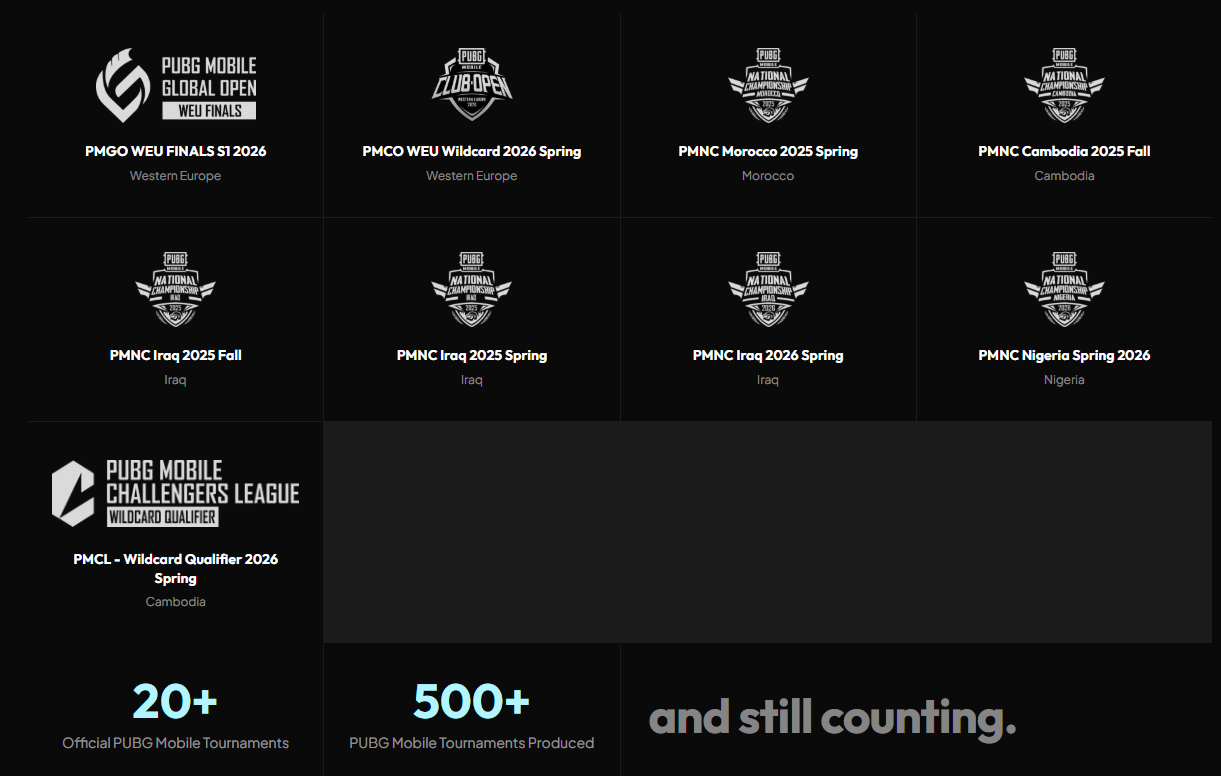
Over the years, Wiser Esports has been trusted to produce some of the most high-profile PUBG Mobile and multi-title esports events. Here is a selection of events we have worked on:
Not Ready to Handle All of This on Your Own?
If you are not yet ready to hire, rent, or invest in all the production equipment and expertise a LAN tournament demands, talk to Wiser Esports about it. Trust us, it will be half the work done for you by our team of experts. From broadcast production and observer talent to full event execution, we have done this before and we know exactly what it takes.
Get in Touch With Wiser Esports
Final Thoughts
Executing a professional PUBG Mobile LAN tournament is demanding, expensive, and complex. But it is absolutely achievable with the right preparation and team. The events that look flawless on stream are the ones where weeks of careful planning happened invisibly in the background.
The biggest lesson we have taken from producing events like PMGO and PMNC is this: the problems you do not anticipate are the ones that hurt you. Test everything with real conditions, build in redundancy for your most critical systems, and never underestimate the network.
If you are building toward producing events at this level, start smaller, document everything, and treat every event as a learning experience. The gap between a local event and a national championship is not talent alone. It is process, preparation, and the hard-won experience of knowing what can go wrong.
Have questions about producing PUBG Mobile LAN events or esports broadcast production? Reach out to the Wiser Esports team. We are happy to share more from our experience.
Founder/ CEO
Pradip loves doing production with new challenges and does vibe coding in free time.